.svg)
Until now, we’ve focused on helping creators monetise GPTs they’ve built for themselves.
Today, we’re excited to launch Collaborator Mode built for GPT (super)builders who are creating and managing custom GPTs for clients.
If you’re building GPTs for businesses, consultants, agencies, or brands, this feature lets you collaborate transparently while maintaining full control.
When building for clients, you can now:
- Build and manage the GPT using your own ChatGPT account
- Use your Top Road account to install GPT Tools, set and adjust pricing and payment settings
- Add your client as a collaborator on Top Road, so they have view-only access to GPT usage, analytics, and revenue data creating a transparent, shared source of truth.
Adding Clients as a Collaborator
To add a collaborator:
- Click View Details on the relevant GPT
- Go to the Revenue tab
- Scroll to the Collaborator section and add your client’s email

What Collaborators Can (and Can’t) Do
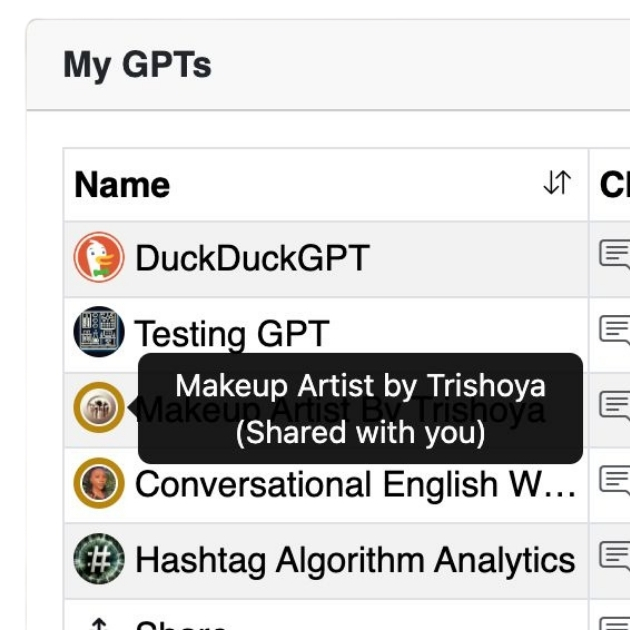
Once added, your client will see the GPT in their Top Road dashboard (marked with a circle to indicate it’s shared).

Collaborator Mode gives them view-only access to usage, analytics, and revenue data — creating a transparent, shared source of truth.
Collaborators cannot:
- Install GPT Tools
- Change pricing or payment settings
- Withdraw funds (as all revenue is still paid directly to you as the GPT builder; you handle payments or revenue share directly with your client)
In short: your client gets visibility. You keep control.
Collaborator Mode vs Whitelisting
Collaborator Mode is our second feature for GPT builders who create GPTs for clients. The first was whitelisting. You can use either — or both — depending on your business model.
Whitelisting Only
Whitelisted users won’t be asked to pay to access the GPT.
This is typically used when the GPT is for internal client use.
Example: You’re a marketing consultant offering a “free” copywriting GPT as part of your service package.
Collaborator Only
Collaborators get view-only access to track GPT performance.
This is typically used when the GPT is external and revenue-generating, where you act as the technical builder and your client drives distribution.
Example: You build a travel guide GPT for a travel agency. They promote it to their customers, and you both use Top Road’s usage and revenue analytics as a verifiable performance dashboard.
Whitelisting + Collaborator
Or you can use both features in conjunction! Perhaps the client wants to use the GPT for both internal and external use. Or it’s purely for internal use, and the client wants to monitor usage within their organisation.
Who Can Use It?
Collaborator Mode is included in all Top Road GPT Tools plans — Free, Pro, and Business — at no additional cost.
If you’re already building GPTs for clients, start using it today!
We can’t wait to see the new agency and partnership models this unlocks. 🚀